Inventory Management Software – Powerful Stock Manager Advance with All Modules v4.0.0 beta6
Inventory Management Software for smart businesses — explore Stock Manager Advance v4.0.0 beta6 with POS, sales, reports & advanced stock control features.
 6isaadmin
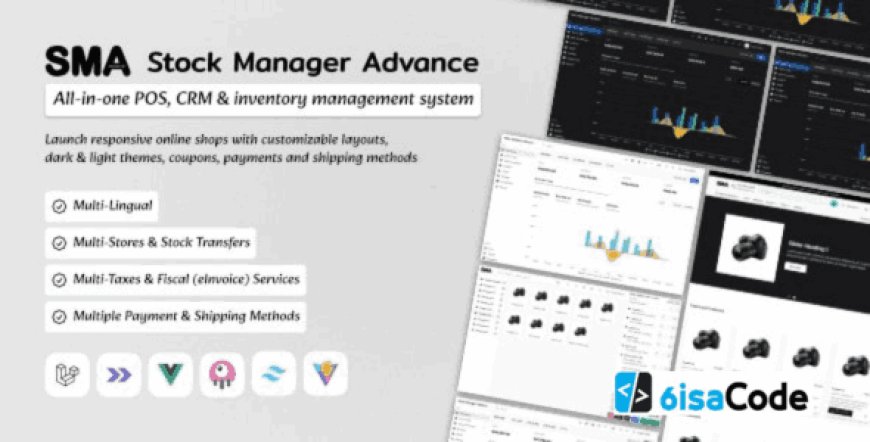
Stock Manager Advance with All Modules v4.0.0 beta6 – Best Inventory Management Software
Inventory Management Software has become the backbone of modern retail stores, wholesale shops, warehouses, suppliers, and distributors. Whether you’re handling thousands of products or managing multiple branches, a powerful stock management solution saves time, reduces human errors, and increases overall efficiency.
Stock Manager Advance v4.0.0 beta6 is one of the most powerful, feature-rich, and flexible PHP-based systems for managing inventory, sales, purchases, stock transfers, and POS operations. Designed for business owners and retail managers, this software includes all essential modules such as POS, shop management, reports, returns, barcode generation, supplier management, customer tracking, and accounting tools.
Key Features of Stock Manager Advance v4.0.0 beta6
1. Complete Inventory Management System
This is one of the strongest Inventory Management Software features.
You can manage unlimited products, categories, brands, units, warehouses, and batches.
Key Highlights:
-
Add, edit, adjust, or transfer stock
-
Manage stock in multiple warehouses
-
Low-stock automated alerts
-
Product variations & attributes
-
Easy stock counting tools
2. Built-in POS (Point of Sale) Module
The POS module is fast, user-friendly, and works perfectly for physical stores.
Barcode scanning
Real-time stock sync
Cashier control
Payment history
Customer-wise sales
3. Purchase & Supplier Management
Manage purchase orders, supplier payments, product costs, and invoice records.
Features:
-
Generate purchase orders
-
Supplier profile & balance management
-
Track due payments
-
Auto-update stocks after purchase
4. Sales, Customers & Returns
Handle customer accounts, sales invoices, quotations, and product returns easily.
-
Create custom invoices
-
Track customer due balances
-
Process refunds and returns
-
Customer advanced reporting
5. Financial Reports & Analytics
The system provides advanced financial monitoring tools, including:
-
Daily sales reports
-
Profit/loss statements
-
Stock valuation
-
Tax reports
-
Supplier & customer reports
6. Multi-Warehouse Support
If you run a chain store or manage multiple branches, this feature is essential.
-
Transfer stock between warehouses
-
Track warehouse-specific stock
-
Individual warehouse reports
7. Barcode & Label Printing
You can generate barcodes instantly from the inventory panel.
Barcode formats supported
Print product labels
Auto adjust inventory via scans
8. Full Shop/Store Management System
This Inventory Management Software integrates shop dashboard tools:
-
Orders
-
Shop POS
-
Product listings
-
Staff accounts
-
Commissions & discounts
Why Businesses Prefer Stock Manager Advance?
Stock Manager Advance is widely loved because it provides all-in-one business control under one dashboard.
You don’t need separate systems for POS, purchases, warehouse, and accounting — this platform handles everything seamlessly.
Key reasons:
-
Extremely budget-friendly
-
Easy to install
-
Works on shared hosting
-
User-friendly interface
-
Scales from small to large stores
How This Software Improves Store Efficiency
Businesses experience instant improvements like:
Faster billing at POS
Zero stock mismatch
Accurate sales reports
Better supplier payments
Less staff dependency
Is Stock Manager Advance Good for Multi-Store?
Yes!
With multi-warehouse and branch-level user roles, it becomes a great choice for multi-store environments. You can assign each branch its own warehouse, POS, and team while the admin gets full control.
Download Stock Manager Advance v4.0.0 beta6
Related Posts
-
https://6isa.com/pos-inventory-management-software-stocky-5.3
-
https://6isa.com/pospro-web-addon-for-pospro-inventory-management
Frequently Asked Questions
1. What is Stock Manager Advance?
It is a complete Inventory Management Software with POS, sales tracking, purchase management, and reporting.
2. Does it support multiple warehouses?
Yes, you can assign stock to different warehouses and track each separately.
3. Can I print barcodes?
Yes, barcode generation and label printing are built-in features.
4. Do I need high-end hosting?
No, even basic shared hosting is enough for smooth performance.
5. Is this system suitable for retail stores?
Absolutely — retail shops, mini-marts, wholesalers, and distributors all use it regularly.
Final Thoughts
If you’re looking for a reliable, budget-friendly, and professional Inventory Management Software, then Stock Manager Advance v4.0.0 beta6 is one of the best choices available. It includes every tool a modern business needs — POS, inventory tracking, multi-warehouse management, accounting, and advanced reports — all inside a user-friendly interface.
For any small shop or large chain business, this system can significantly improve workflow, reduce errors, and boost efficiency.